

A Betway deposit can be completed in a few taps when you use the Paragon App. Instead of navigating through different payment options, you can fund Betway directly inside Paragon's betting section and send funds to your account from there.
The process is built into the app's** Bills** feature, alongside other everyday payment services.
Fund Betway in a Few Taps
Here's the route to follow:
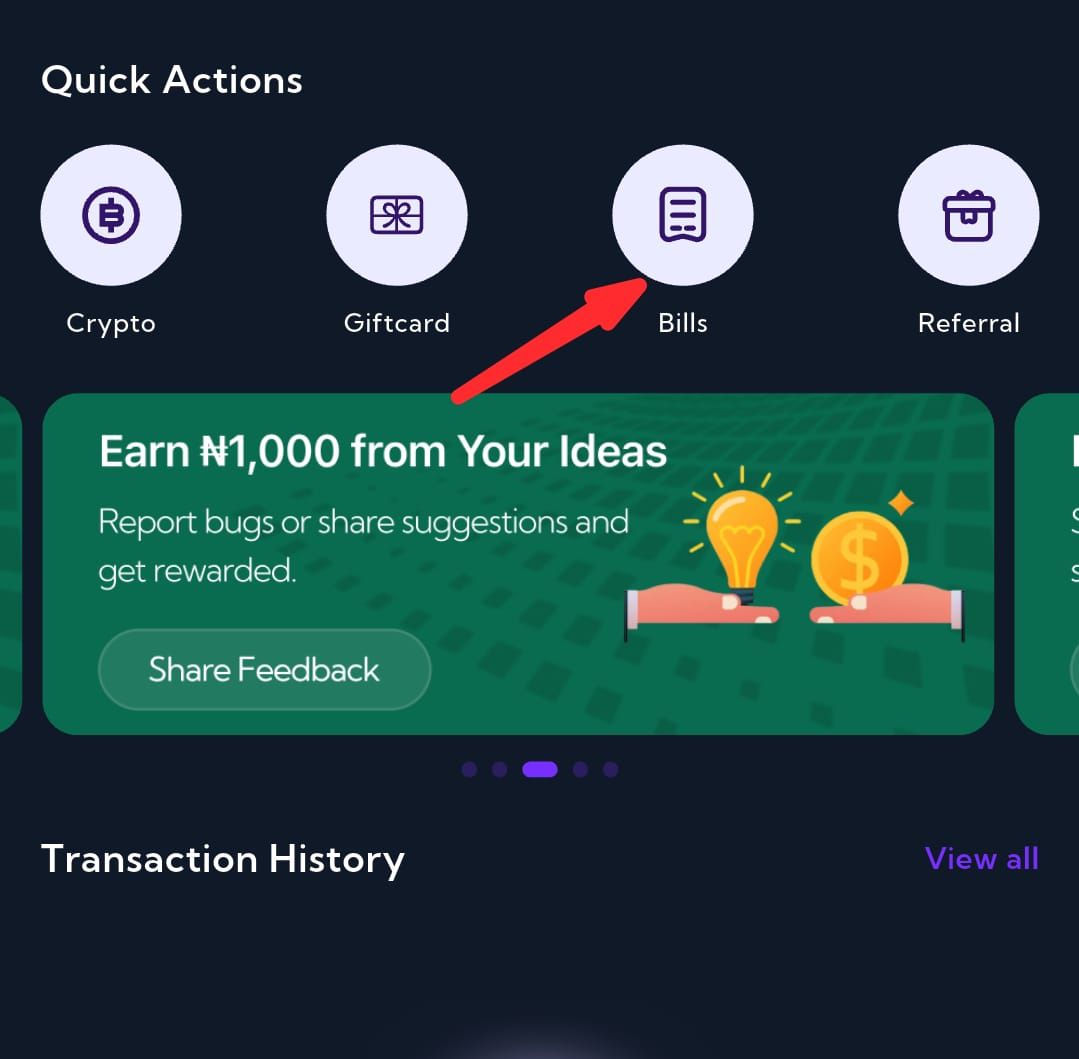
Paragon Dashboard → Quick Actions → Bills → Betting → Betway
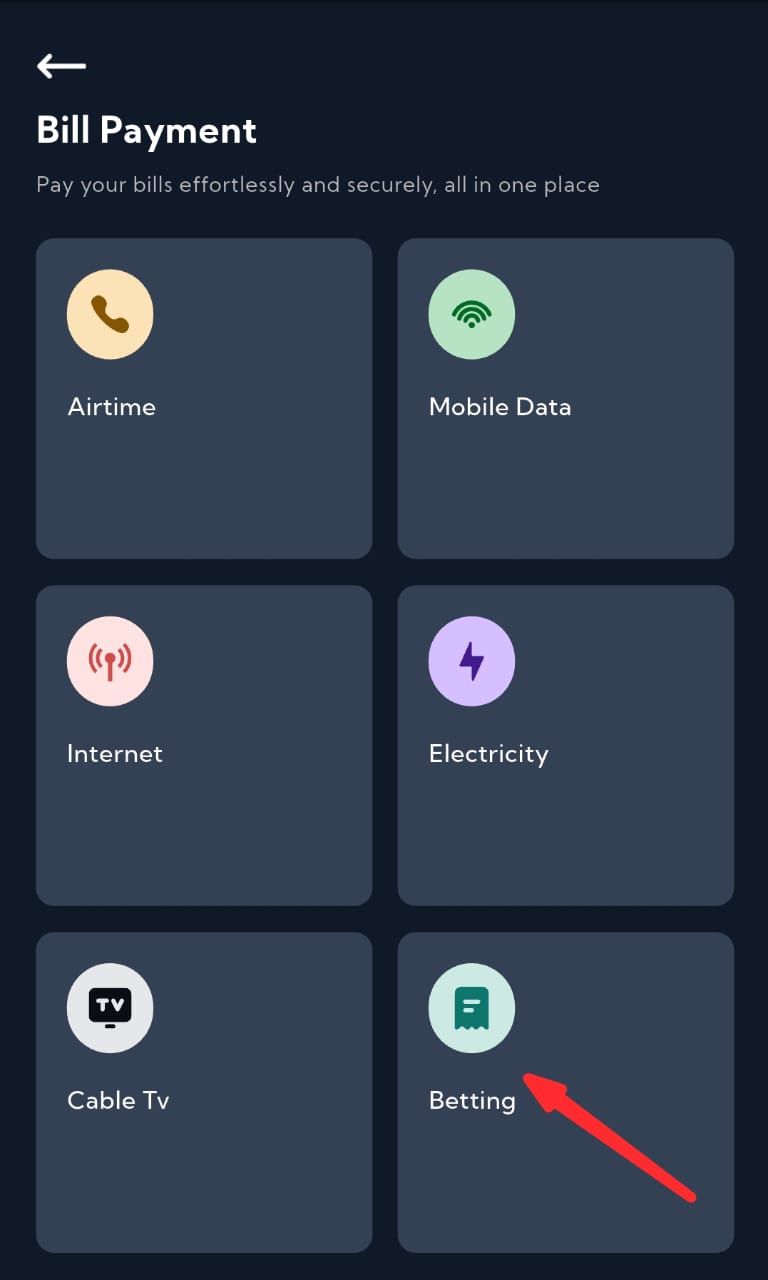
Once you've selected Betway, enter your Betway **User ID **and the amount you want to deposit.
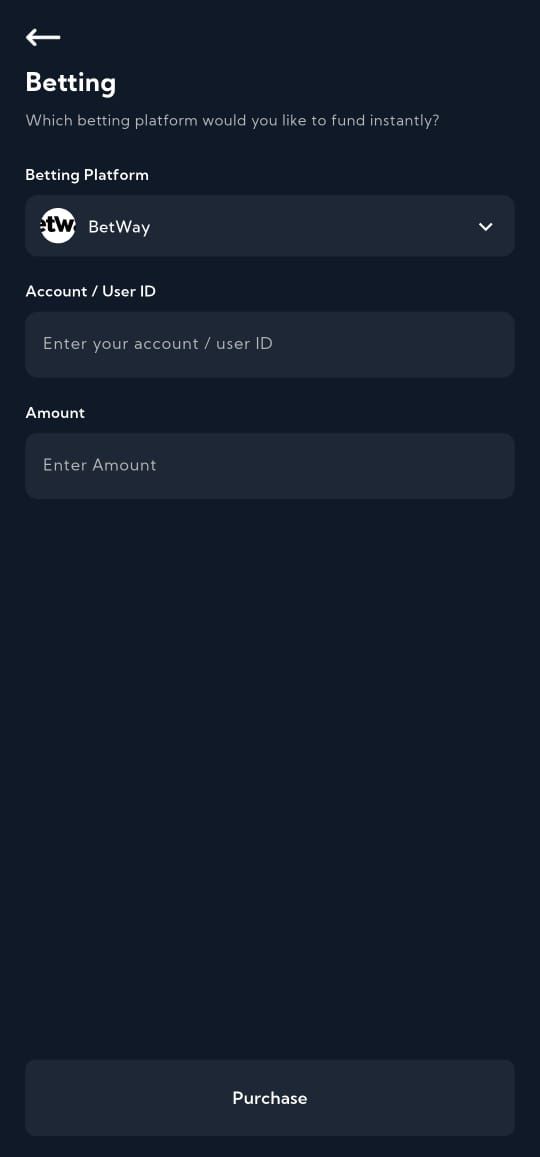
Tap Purchase, then enter your Paragon transaction PIN to approve the payment.
Your Betway wallet will be credited once the transaction has been successfully processed.
A Simpler Way to Handle Betway Deposits
One advantage of using Paragon is that you don't need a separate payment routine for your betting account. The same app can handle your Betway funding alongside other digital transactions.
Beyond betting payments, Paragon lets you buy, sell, and swap crypto, make fiat deposits, pay utility bills, purchase airtime and data, trade gift cards, and access virtual dollar cards.
So, instead of treating your betting wallet as a completely separate financial task, Paragon brings it into the same ecosystem.
Your Betway User ID Matters
Before confirming a deposit, pay close attention to the User ID you enter. It connects the payment to your Betway account, so an incorrect ID can create unnecessary delays.
Take a second to verify the ID and deposit amount before tapping Purchase. Then authorize the transaction with your PIN and retain the confirmation for your records.
Betway Funding Made Simple
Paragon removes the unnecessary back-and-forth from topping up your Betway account. Open Bills, choose Betting, select Betway, and complete the payment using your account details.
It's another example of how Paragon is expanding beyond crypto to cover the everyday digital payments people make from their phones.