

Making a fiat deposit on the Paragon App allows you to fund your account with your local currency so you can buy cryptocurrency, swap digital assets, or pay for other services available on the platform.
The Paragon crypto app is known for its fast and seamless transactions, all in one place. No p2p needed. Just a quick bank transfer with zero charges, and you're all set.
In this guide, you'll learn exactly how to deposit fiat into your Paragon account safely and successfully.
What is a Fiat Deposit?
A fiat deposit is the process of adding government-issued currency, such as the Nigerian Naira (₦), to your Paragon wallet. Once your account is funded, you can use the balance to purchase cryptocurrencies like Bitcoin (BTC), Ethereum (ETH), or USDT without needing to transfer crypto from another wallet.
Here's how to do that
Step 1
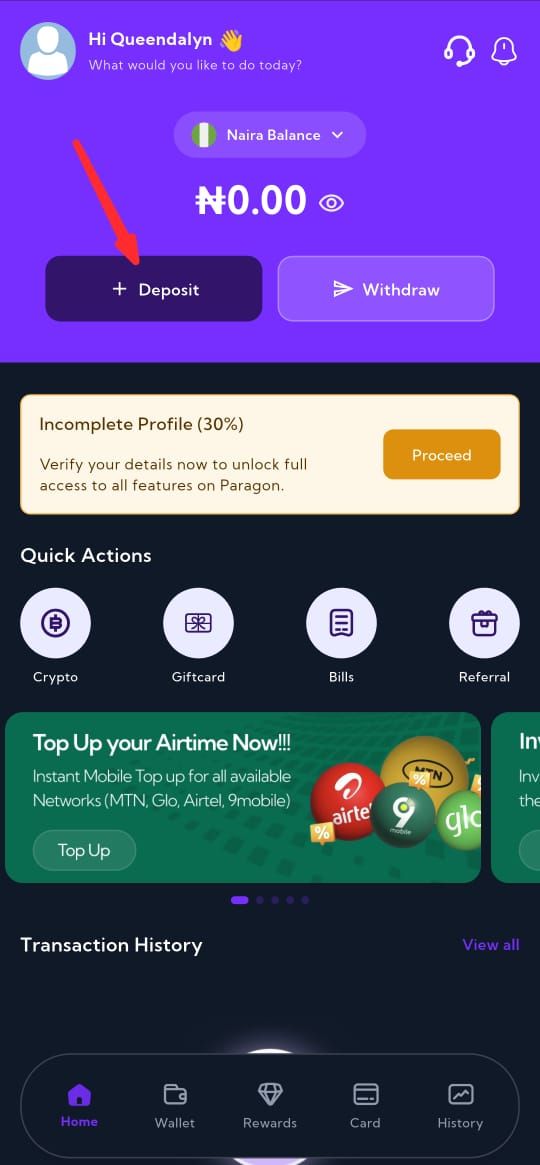
On the homepage, tap the "Deposit" button
Step 2
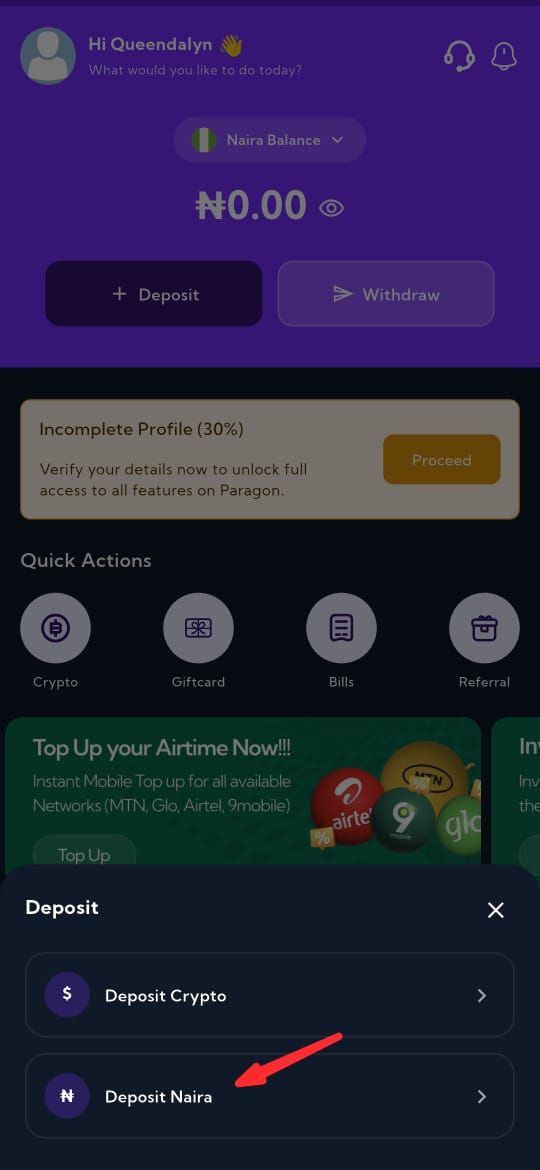
Select "Deposit Naira"
Step 3
Enter the amount you want to deposit.
Step 4
Tap "continue" and send the exact amount to the temporary account that will be generated for you.
Once the amount is received successfully, your Niara deposit will be processed.
On the Paragon crypto app, customer satisfaction is our priority.
Why Deposit Fiat on Paragon?
Funding your Paragon account with fiat currency offers several advantages:
-
Buy cryptocurrency without needing an external crypto wallet.
-
Access fast and convenient crypto purchases.
-
Easily swap between supported cryptocurrencies.
-
Pay bills and purchase airtime from one app.
-
Manage your funds and digital assets in one secure platform.
Conclusion
Making a fiat deposit on the Paragon App is a straightforward process that allows you to fund your wallet and access a wide range of crypto services. By following the steps outlined above, you can safely add funds, purchase digital assets, and manage your crypto portfolio without unnecessary complications.